PE-Design 11 vs PE-Design 10 vs Plus2: Which Version Should You Choose?
Short answer: if you want every tool and long-term comfort, choose PE-Design 11. If you want professional digitizing for less, choose PE-Design 10. If you mainly add names and monograms, PE-Design Plus2 is enough.
What all PE-Design versions have in common
Every edition of Brother PE-Design is Windows software that creates and edits embroidery designs and saves them in PES, the native format of Brother embroidery machines. All versions let you add lettering, resize and recolour designs and combine several designs into one hoop. The differences are in how much automatic and manual digitizing you get, and how polished the tools are.
PE-Design 11 — the complete toolbox
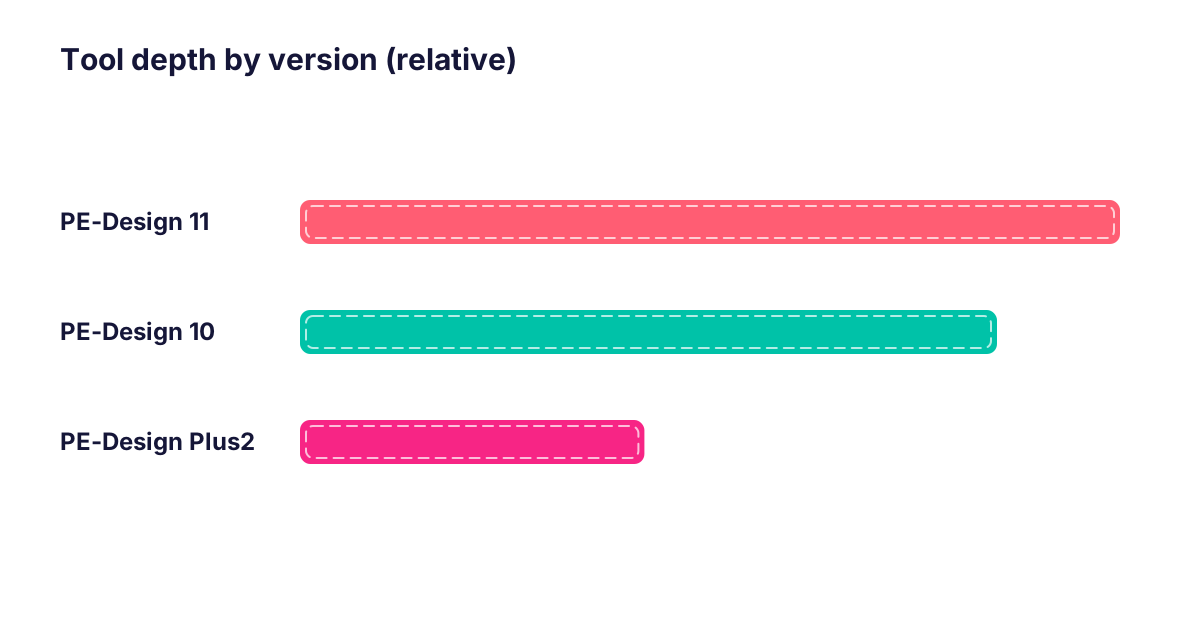
PE-Design 11 groups all modules — Layout & Editing, Design Center, Design Database, Font Creator and Programmable Stitch Creator — in one workflow. It adds the most refined auto-digitizing, Photo Stitch, Stitch-to-Block editing, appliqué and quilting tools, multi-hoop layouts and wireless transfer to WLAN-enabled Brother machines.
Choose it if: you sell embroidered products, digitize logos for customers or simply want the version that will not limit you later.
PE-Design 10 — best value for serious hobbyists
PE-Design 10 has a very similar professional workflow: Auto Punch, Photo Stitch, Stitch-to-Block, decorative fills, an appliqué wizard and strong lettering. Most hobby and small-shop projects can be done in PE-Design 10 without missing anything important.
Choose it if: you want advanced tools but do not need wireless transfer or the latest refinements.
PE-Design Plus2 — the starter edition
Plus2 focuses on what beginners do first: names and monograms (35 fonts plus 5 small fonts), PhotoStitch, appliqué, combining and resizing designs, and basic digitizing. It is easy to learn but does not include the full manual digitizing environment.
Quick decision guide
| Your situation | Recommended version |
|---|---|
| Embroidery business or Etsy shop | PE-Design 11 |
| Advanced hobbyist, budget-conscious | PE-Design 10 |
| Learning to digitize properly | PE-Design 10 |
| Only names, monograms, small edits | PE-Design Plus2 |
| Machine with Wi-Fi (WLAN) | PE-Design 11 |
See the full table on our PE-Design comparison page, or message us on WhatsApp with your machine model and we will recommend the right version.
FAQ
Is PE-Design 11 much better than PE-Design 10?
PE-Design 11 refines auto-digitizing, editing and lettering and adds wireless transfer to WLAN machines. For many hobby projects PE-Design 10 is enough; for business use PE-Design 11 is worth it.
Can older PE-Design versions open newer PES files?
Usually yes for stitch data, but files saved with newer editing information may open as stitches only. Saving in a compatible PES version solves this in most cases.