What Is Brother PE-Design? A Beginner’s Guide to Embroidery Digitizing Software
Brother PE-Design is embroidery digitizing software for Windows. It turns artwork, text and photos into stitch files — instructions that tell an embroidery machine where to place every stitch, in which order and with which thread colour.
What does “digitizing” mean?
An embroidery machine cannot read a JPG or a PNG. It needs a file describing stitches: their type (running, satin, fill), length, angle, density and colour stops. Digitizing is the process of creating that file. PE-Design can do it automatically (Auto Punch), semi-automatically (Design Center) or manually, stitch region by stitch region.
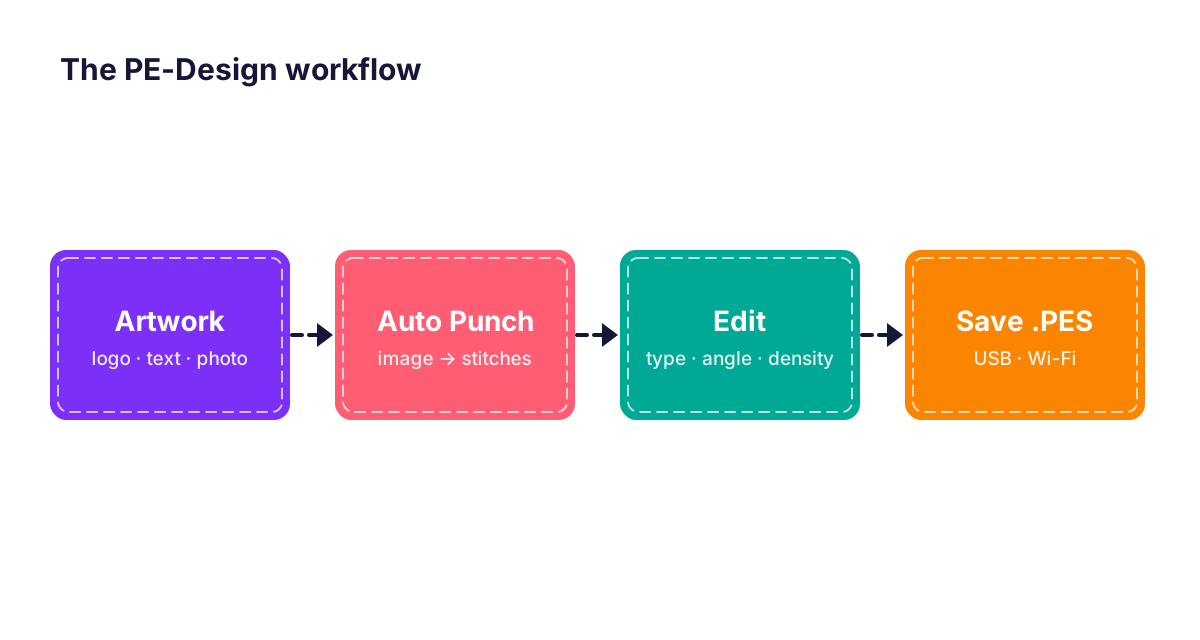
The main parts of PE-Design
- Layout & Editing — the main workspace: combine designs, add lettering, resize, rotate, recolour and set the hoop size.
- Design Center — trace an image into outlines and fill regions for clean manual digitizing.
- Font Creator — make your own embroidery alphabets.
- Programmable Stitch Creator — design custom fill and motif patterns.
- Design Database — browse, preview and convert your design library.
Your first design in 5 steps
- Open Layout & Editing and choose your hoop size.
- Import a simple image (a logo with few colours works best) and run Auto Punch.
- Check each region: stitch type, direction and density.
- Add a name with the Text tool and place it under the design.
- Save as .PES, copy it to a USB stick (or send it wirelessly in PE-Design 11) and stitch a test on scrap fabric.
Which version should a beginner choose?
If you only want names and monograms, PE-Design Plus2 is easiest. If you want to grow into real digitizing, start directly with PE-Design 10 or PE-Design 11 so you never need to change software. Read our version comparison guide for details.
FAQ
Is PE-Design hard to learn?
The basics — lettering, resizing and auto-digitizing simple images — can be learned in an afternoon. Clean manual digitizing takes practice, as with any embroidery software.
Do I need a Brother machine to use PE-Design?
No, but PE-Design is designed around Brother machines. You can export other formats such as DST or JEF for other machine brands.